

POWERED BY PEOPLE | PROCESS | TECHNOLOGY


 AccountingDepartment.com is the largest and most experienced outsourced accounting services, bookkeeping services, and controller services company in the country. Founded in 2004, AccountingDepartment.com serves as the entire accounting department for growing and established businesses nationwide.
These Virtual Accounting Visionaries Designed An Award-Winning Culture. Read How Here.
Founded in 2004 to Support Entrepreneurs and Their Accounting Needs
AccountingDepartment.com is an outsourced accounting company that specializes in providing accounting solutions to small to mid-sized business clients ($2 million to $100+ million in annual revenue) who don't have the time, need, or expertise to maintain their own accounting staff. AccountingDepartment.com was born when its founders realized that entrepreneurs were most likely to suffer business setbacks when their accounting wasn't in order.
AccountingDepartment.com also saw the need for accounting staff to be more than just bookkeepers. Our accounting services team is made up of CPAs, accounting experts, and business advisors who work with clients to help them find solutions, not just perform accounting grunt work.
If you are an entrepreneur looking for accounting that helps you manage and grow your business, AccountingDepartment.com has accounting solutions for you. We are accounting professionals who help entrepreneurs make the most of their accounting dollars. Our accounting solutions help you control costs, increase cash flow, and reduce accounting hassles.
We are also leaders in the accounting industry specializing in online accounting. Our use of cloud-based accounting software and the most cutting-edge accounting technology available on the market makes it easy to get accounting done quickly and accurately without all of the administrative expenses of onsite bookkeeping. As the largest independent outsourced accounting company in the country, we have accounting software and technology services solutions available in all 50 states.
AccountingDepartment.com is the accounting company entrepreneurs turn to when they need accounting support for their business. If you would like more information about how we can help your business grow, please contact us. Our "full takeover" approach puts us at the heart of your accounting department, providing you peace of mind and security to know that your accounting is taken care of. When you need answers, your dedicated controller and accounting specialist are there, with over 150 accounting professionals behind them to rely on for support. Looking for special reporting and better financial analyses? An entire team will make that happen for you. It's accounting for entrepreneurs, done right.
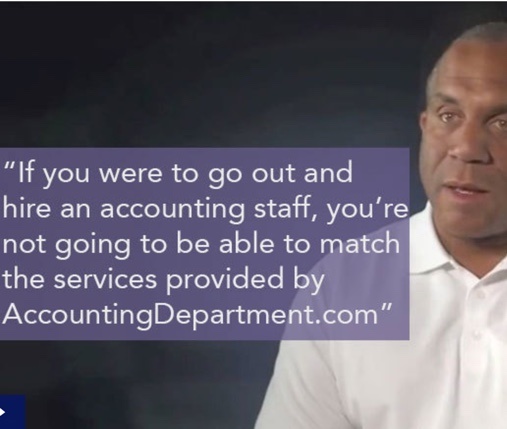

"AccountingDepartment.com has the expertise and the ability to scale up our accounting function much more quickly than we could have accomplished if we chose to do it internally. So based on expertise, speed-to-scale, and cost, the decision for us was no-brainer. It was a slam dunk."
- Rich Oakes, President, GigSmart
"The onboarding experience with AccountingDepartment.com was honestly one of the best experiences. We actually took some of the things that we learned by working with them into our own business when we onboard clients."
- Chris Moore, CEO








































In a dynamic industry where change is the only constant, good cash flow management stands as one of the most critical factors for the success of...



